
TALENT: How do I manage my subscription?
You can change your membership plan at any time directly from your account settings. This article guides Talent on how to upgrade, downgrade, or cancel their subscription on Cast It Talent.
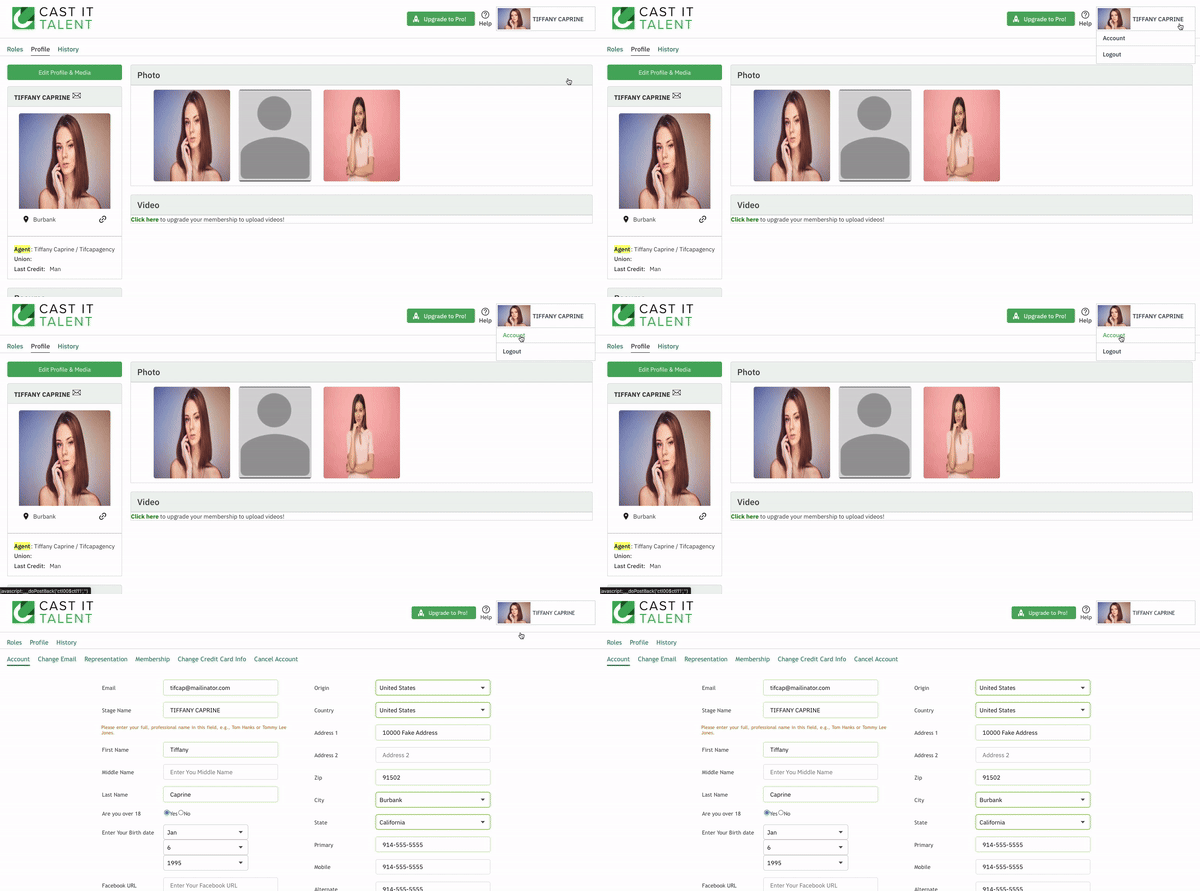
How do I upgrade my subscription?
Login to your Cast It Talent account.
Navigate to the account navigation menu.
Click on Membership.
Select Upgrade to the Plan of your choice.
Enter payment details and select Subscribe.
How do I downgrade my subscription?
Login to your Cast It Talent account.
Navigate to the account navigation menu.
Click on Membership.
Select Downgrade to the Plan of your choice.
Select Confirm.
How do I cancel my subscription?
Login to your Cast It Talent account.
Navigate to the account navigation menu.
Click on Membership.
Select Cancel Subscription.
Select Yes, cancel to confirm cancellation.
Once you have canceled your subscription, you will have access to the site for the remainder of your billing cycle.