
TALENT REPRESENTATIVE: How do I Reactivate a Talent's Profile?
Edited
This article guides Talent Representatives through reactivating an inactive talent profile.
How do I know if an account is inactive?
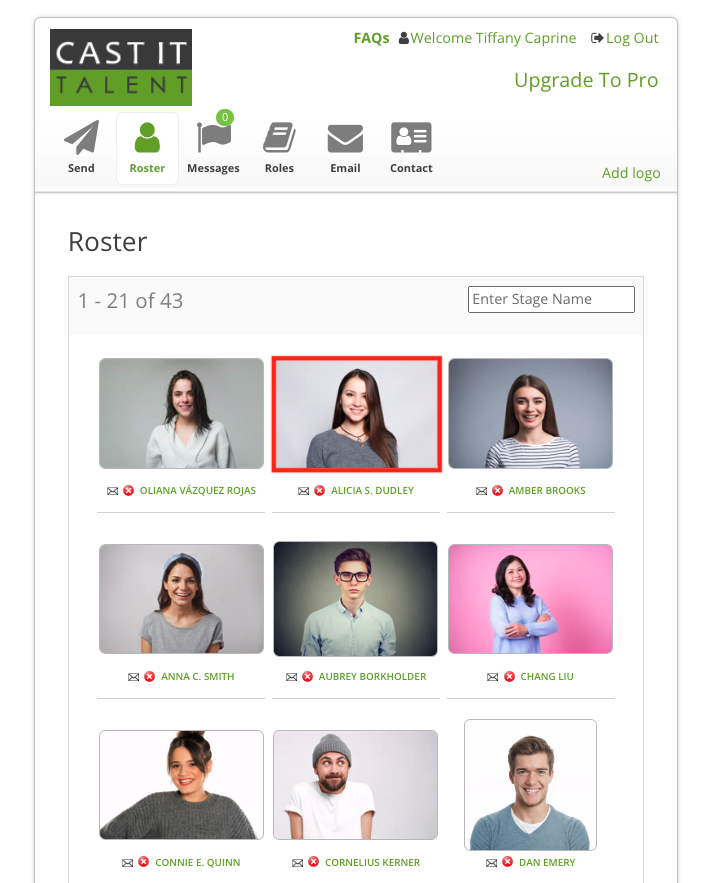
Once a Talent's profile basic membership is expired, their profile will appear as inactive on your roster. You will not be able to submit this talent until you reactivate their profile. Inactive actors will have a red border around their headshot.
How do I reactivate a talent profile?
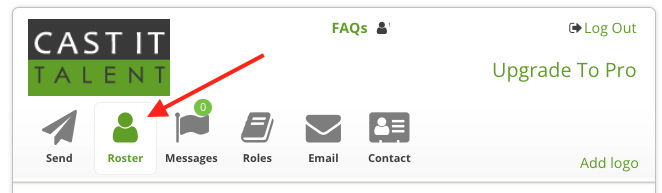
Log into your account and go to the Roster tab.
Search for the desired actor (you can type in their stage name in the search field).
Click on the photo. A pop-up will appear with an option to activate the account.
Enter the actor's email address and click on Activate.
The talent profile is now reactivated and can be submitted on projects!
Reactivate
Activate
Profile