
CASTING DIRECTOR: How do I reset my password?
This article explains how to reset your password on Cast It Systems so you can regain access to your profile.
Resetting Your Password
Navigate to the login screen. Enter the email address or username associated with your account, then select Forgot Your Password?.
Note: You must have the email or username entered before selecting the link.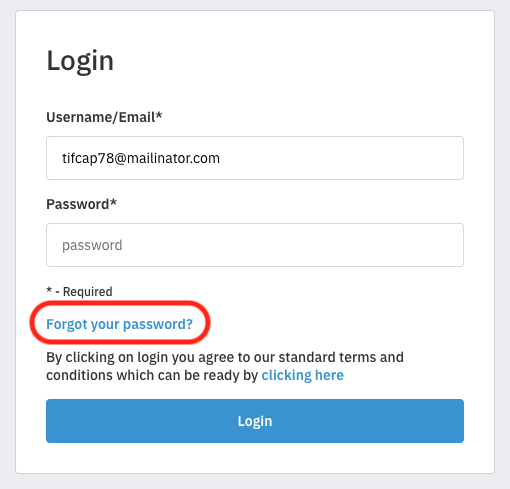
A password reset email will be sent to your inbox. Open the email and select the link labeled Clicking here.

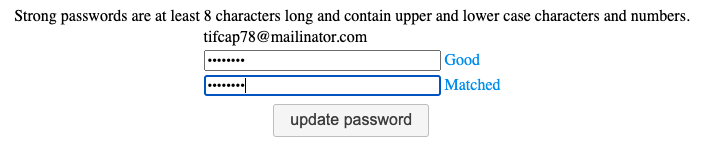
You will be redirected to Cast It Systems to create your new password.

Please ensure your password meets the following requirements:
Minimum of 8 characters long
Contains upper and lowercase characters
Contains numbers
Does not contain special characters
Once you have entered an acceptable password, select Reset Password. After selecting this, you will be prompted to return to the login screen.

You can now log in using your username and your new password.